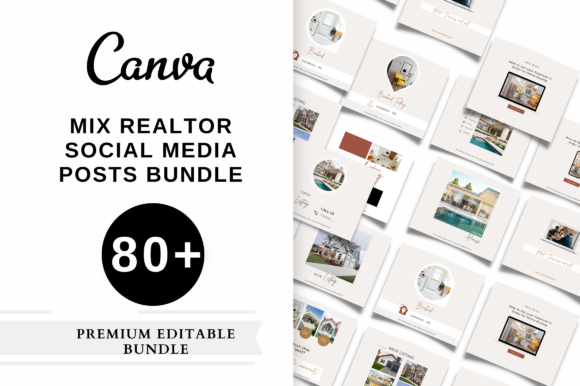
Maximizing Your Real Estate Brand with 80 Premium Realtor Instagram Templates
In the fast-paced world of real estate, your social media presence is often the first handshake a potential client experiences. Many agents struggle to maintain a consistent posting schedule because they get bogged down in design details or simply run out of creative ideas. This is where a comprehensive collection like the 80 Premium Realtor Instagram Template pack becomes an essential tool rather than just a nice-to-have accessory. These resources are designed to help you define your brand and create engaging content in minutes, but simply downloading them isn't enough. To truly leverage these assets for your business, you need to understand how to implement them strategically while avoiding common pitfalls that can dilute your professional image.
The Trap of Generic Branding
One of the most frequent mistakes new users make when acquiring high-quality template packs is treating them as "plug-and-play" solutions without customization. While these templates are pixel-perfect and modern, using them exactly as they appear out of the box can lead to a generic look that fails to distinguish you from hundreds of other agents in your market. If your feed looks identical to a competitor's because you both used the same default colors and fonts, you miss a critical opportunity to build brand recognition.
To avoid this, take full advantage of the editable features included in these Canva-based designs. You have complete control over images, colors, fonts, elements, and background colors. Before you start posting, establish a simple brand kit. Choose two primary colors that reflect your personality or brokerage branding and select one or two readable fonts. Apply these consistently across the Just Sold, New Listings, and Open House templates. This small investment of time transforms a generic template into a cohesive extension of your unique identity, making your profile instantly recognizable to scrollers.
Misunderstanding the Purpose of Each Template Type
Another area where agents often stumble is misaligning the template type with their current marketing goal. A pack containing 80 templates usually includes a diverse mix designed for different stages of the sales funnel. Using a flashy "Just Booked" template when you are trying to educate a cold audience about market trends might feel disjointed. Conversely, using a text-heavy feedback template for a quick announcement about a price reduction can cause users to scroll past without engaging.
It is crucial to map your content strategy to the specific templates available. For instance:
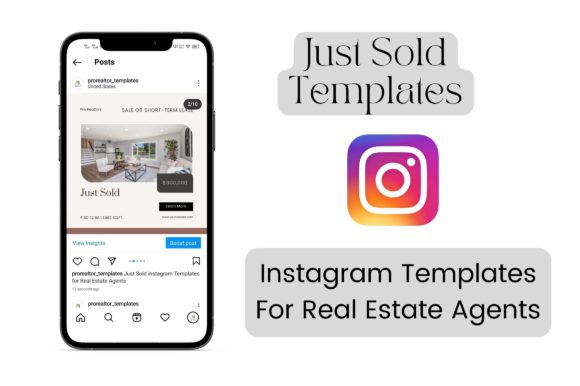
- Just Sold Templates: Use these to build social proof. Don't just post the address; include a brief story about the challenge you overcame to get the deal done.
- New Listings Templates: These should focus on high-impact imagery. Let the photos of the property do the heavy lifting while the template frames them professionally.
- Feedback Templates: These are excellent for nurturing trust. Share anonymized client testimonials to show prospective buyers that you deliver results.
- Just Booked Templates: Use these specifically to drive action. They are optimized to increase bookings and client leads, so pair them with a clear call-to-action in your caption.
By understanding the specific intent behind each design, you ensure that your content flow feels natural and purposeful rather than random.
Overlooking Image Quality and Composition
Even the most modern and trending templates cannot save a post if the underlying photography is poor. A common error is forcing low-resolution or poorly lit photos into these high-definition frames. Since these templates are designed at 1080x1080 pixels, they highlight the quality of the content you insert. Blurry images or cluttered compositions will stand out negatively against the clean lines of a premium design.
Before dropping an image into a Real Estate Social Media Template, ensure it is crisp and well-lit. If you are showcasing a listing, use professional photography whenever possible. If you are sharing a personal brand moment, ensure good lighting and a tidy background. Remember, these tools allow you to resize elements, so if a photo doesn't fit perfectly, adjust the frame or crop the image within Canva rather than stretching it to fit. Maintaining high visual standards protects your reputation as a detail-oriented professional.
Neglecting the Power of Consistency
Many realtors buy a bundle of 80 templates with the intention of posting daily, only to burn out after a week because they try to post everything at once or post inconsistently. The value of having such a large library is not in using every single template immediately, but in having a sustainable reservoir of content for months ahead. Inconsistency confuses the algorithm and your audience, whereas a steady drumbeat of content keeps you top-of-mind.
A better approach is to batch your work. Set aside one hour a week to customize five to seven posts using the Easy to edit and understand features of the Canva files. Schedule these out for the week. This method saves your priceless time and ensures that your Instagram page always looks active and professional, even during your busiest closing weeks. The goal is to glam up your page sustainably, not to overwhelm yourself with daily design tasks.
Technical Oversights in File Management
While the technical barrier to entry is low—since these are built in Canva, a free online tool—some users overlook the importance of file organization and format selection. When you download your final designs, choosing the wrong format can impact quality. For Instagram posts, PNG is generally superior to JPG as it preserves sharpness and color vibrancy better, especially for graphics with text.
Additionally, although the templates are sized ideally for Instagram at 1080x1080, you have the flexibility to resize them for other platforms like Facebook or LinkedIn. However, always double-check the composition after resizing. Text that looks perfect in a square format might get cut off or look too small in a rectangular story format. Take a moment to preview your design in the intended dimensions before exporting. This attention to detail ensures your communication remains clear and professional across all channels.
Making the Right Choice for Your Business
Ultimately, investing in a set of 80 Premium Realtor Instagram Template Posts is a decision to prioritize efficiency and professionalism. However, the return on that investment depends entirely on how you wield the tool. Avoid the trap of laziness by customizing your colors and fonts. Steer clear of mismatched messaging by selecting the right template for your specific goal. Protect your brand image by insisting on high-quality photography. And finally, safeguard your time by batching your content creation.
When used correctly, these templates do more than just fill a feed; they act as a force multiplier for your marketing efforts. They allow you to present a modern, polished front to the world without needing a degree in graphic design. By focusing on these practical adjustments and avoiding common oversights, you transform a simple download into a powerful engine for generating leads and building a lasting real estate brand.